
Bookmark the exact moment, not the whole video
A Safari extension for macOS that saves precise timestamps in YouTube videos, and turns start/end points into re-playable clips. For students, researchers, teachers who need to find a moment again.


Key Features
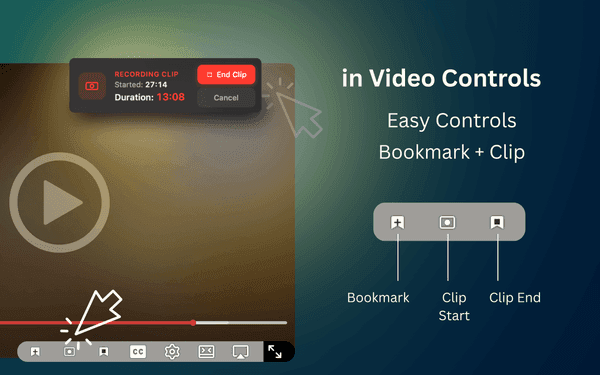
Save the current timestamp with a floating player button or the Command (⌘)+B keyboard shortcut.
Mark start and end points to create a segment that pauses automatically on playback.
Organize with custom emoji categories and add notes or tags for context.
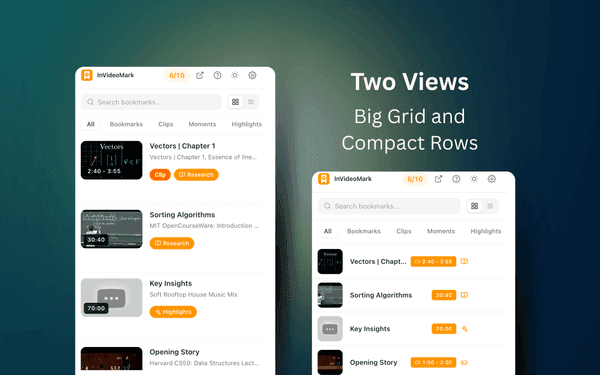
Find bookmarks by title, video name, notes, category, type, or platform, in row or thumbnail view.
Dark mode selection by system or manual selection via settings
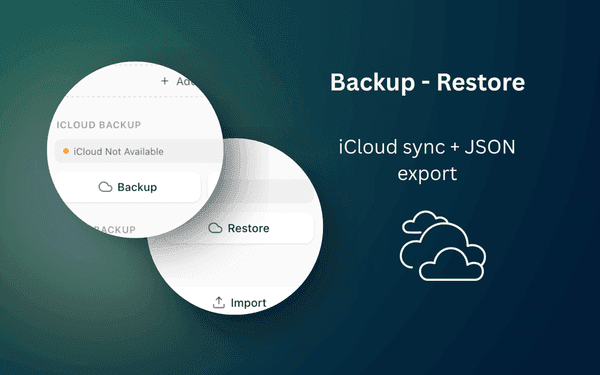
Backup to and Restore from iCloud
Why We Built This
Scrubbing back to that one moment, every time
Browser bookmarks save a video, not a moment. If the point you cared about was eleven minutes in, you save the URL and then hunt for it again on every rewatch. InVideoMark saves the timestamp itself, so a bookmark drops you exactly where you left off — and a clip marks a start and end so the video pauses on its own at the end of the segment.
One click or Command (⌘)+B captures the exact timestamp on any YouTube or YouTube Kids video, with no break in what you're watching.
Mark a start and an end to make a clip. Play it back later and the video stops itself at the end point.
Bookmarks live on your device. No account required — export to JSON or back up to iCloud when you want a copy.
Get Started Today
Get InVideoMark for Safari on your preferred platform — it takes seconds.