
Cue points for the tracks you stream
A Safari extension for MacOS that bookmarks exact moments in SoundCloud and YouTube Music tracks and saves start/end segments as replayable clips. Built for DJs, producers, and anyone who needs to find that sample again,


Key Features
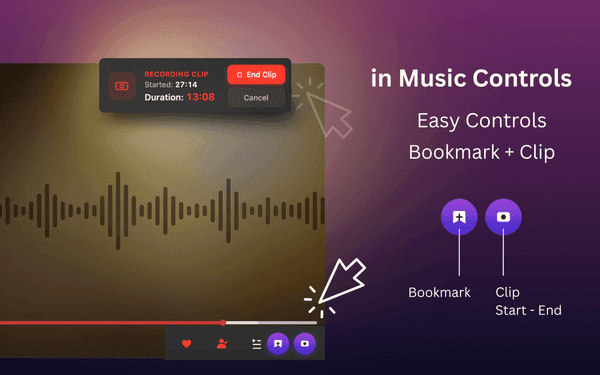
Hit the bookmark button or Command (⌘)+B to capture the exact timestamp mid-listen.
Mark a start and end time to save a segment that seeks and pauses on its own.
Toggle clip mode, mark points, and add notes from a sidebar that opens right on the page.
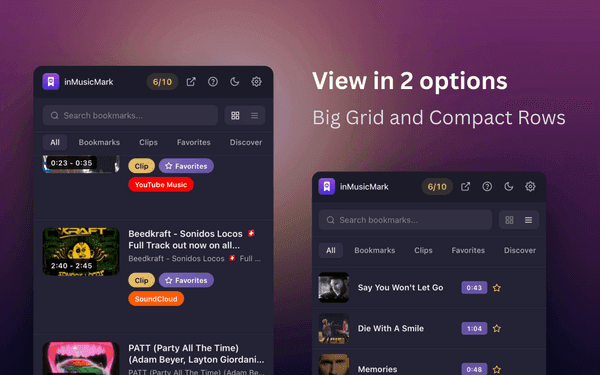
Sort with emoji categories, tags, and notes, then filter by category, type, or platform.
Dark mode selection by system or manual selection via settings
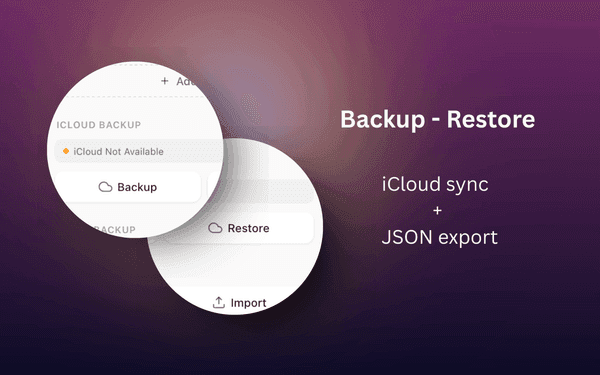
Backup to and Restore from iCloud
Why We Built This
The drop was somewhere around 4:20
Streaming players let you save a track but not a moment inside it. A DJ marking cue points, a producer flagging a sample, or anyone chasing a transition in an hour-long mix ends up scrubbing the same timeline over and over. inMusicMark saves the timestamp itself and lets you turn a start and end into a loop-able clip.
Bookmark the exact second while a track plays, using the sidebar or Command (⌘)+B, without leaving the music.
Save a start and end time. Play the clip back and it seeks to the start and stops at the end.
Everything stays on your device — no accounts, no tracking. Export to JSON to move your library elsewhere.
Get Started Today
Get inMusicMark for Safari on your preferred platform — it takes seconds.